
The athleteReg team has been busy. A fresh set of enhancements is live on athleteReg. This latest batch of updates is all about giving you more control over the participant experience and saving you time on the details.
In this update:
- Event series custom question updates
- Bib generator sortable headers
- New coupon code start date field
- Category change entry value control
- Individual edit entry links in data download
- Schedule-based refund and credit tool
- Email filters for age and ZIP Code
Event Series: Custom questions now copy into each sub-category
Custom questions (event-specific questions) will now copy from the main category into each sub-category within a series. This is helpful for event directors who want all participant data collected at every event in the series. For a weekly series, each week will contain all the registration data from the full series setup.
New to series events? Learn how to set one up.
Bib Generator: Sortable headers
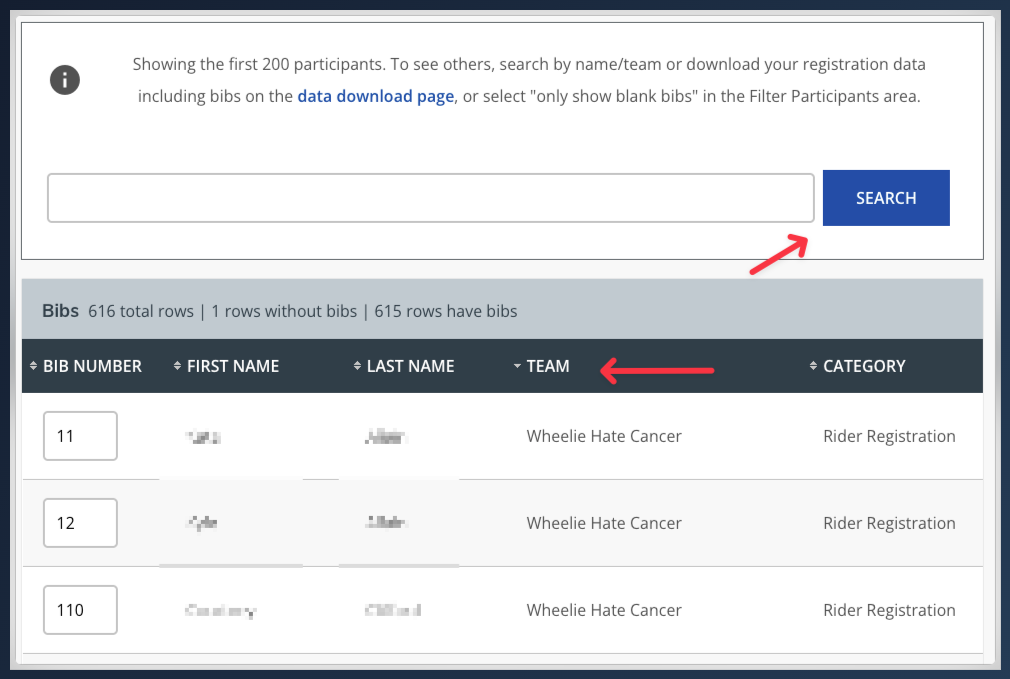
Sort your bibs by column header within the bib generator. Directors of events with large amounts of participant data no longer need to scroll through pages to find a specific entry. Click any column header to sort and navigate quickly.
Coupon Codes: Start date field
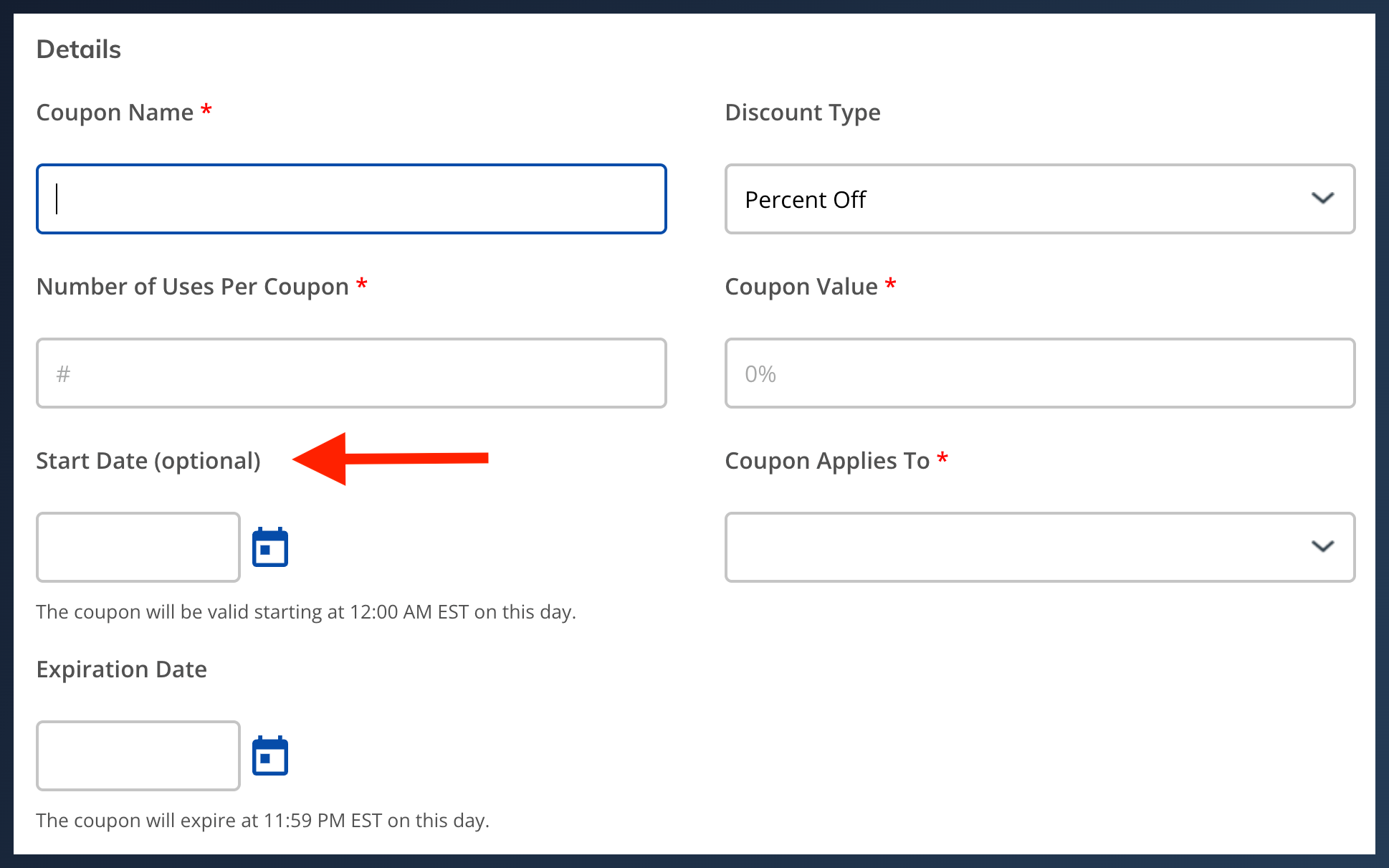
When creating coupon codes, schedule a start date for when each code goes active. If you know the codes you want to create but don’t want them active yet, add a start date to set it and forget it.
Category Changes: Control the value of the original entry
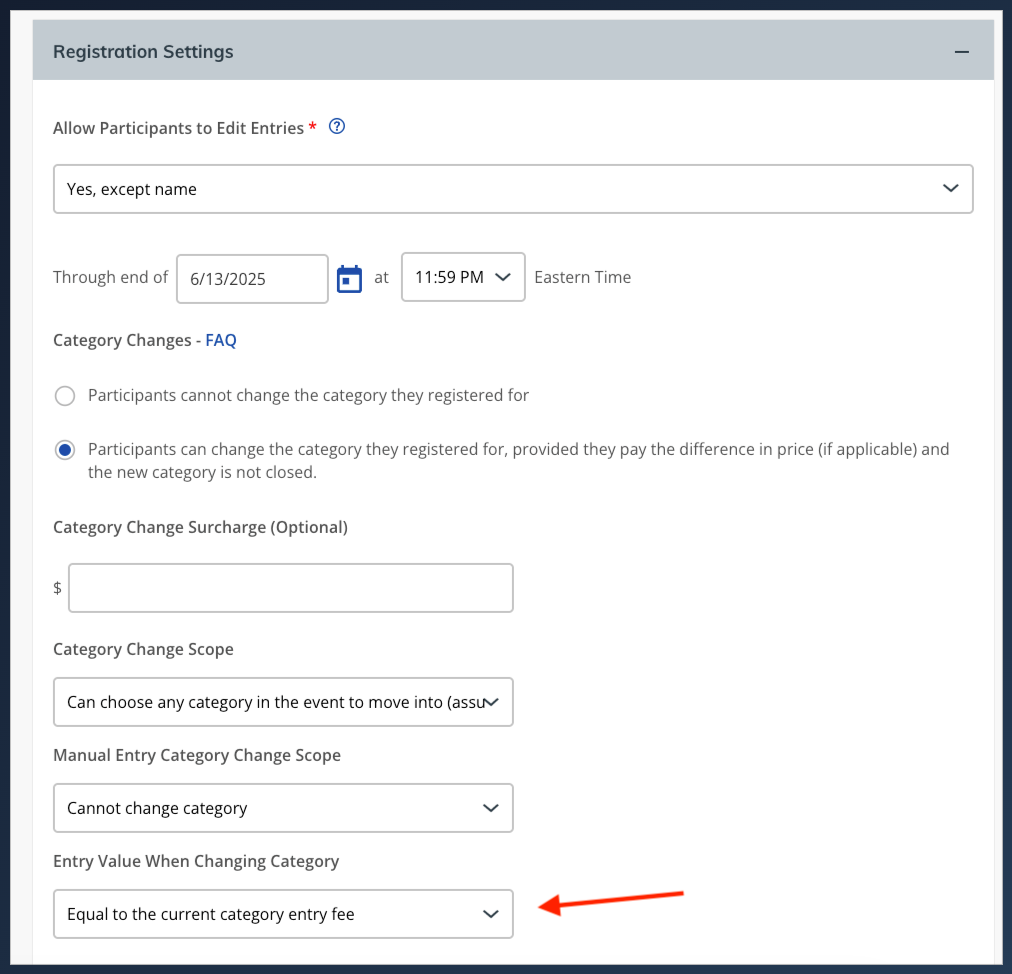
Requested by several events, this update gives you more control over the participant experience by allowing you to determine the value of a participant’s original entry when they request a category change.
For example, if someone registered early at $50 and prices have since increased, you can decide whether they should be able to move into a comparable category at the higher price with or without paying the difference.
Automated Waitlists: Schedule-based refund/credit
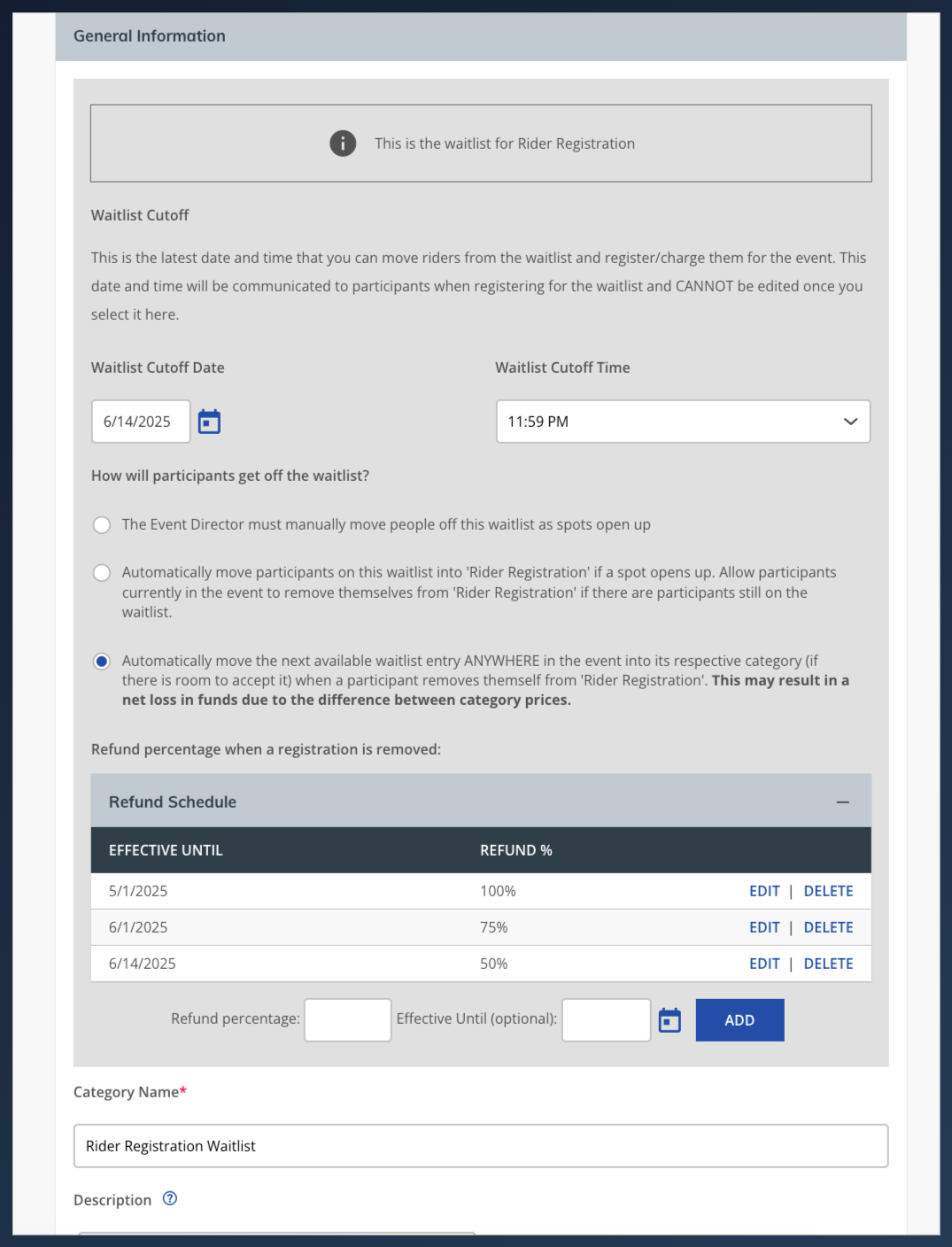
For events using automated waitlists, set a tiered refund or credit schedule based on cancellation date. Rather than a flat refund policy, you can define different refund or credit amounts depending on how far out a participant cancels. For example, someone canceling a month before the event might receive 50% back, while canceling two weeks out gets a smaller credit. When a spot opens up, the automated waitlist kicks in to fill it.
Individual Edit Entry: Links available in download
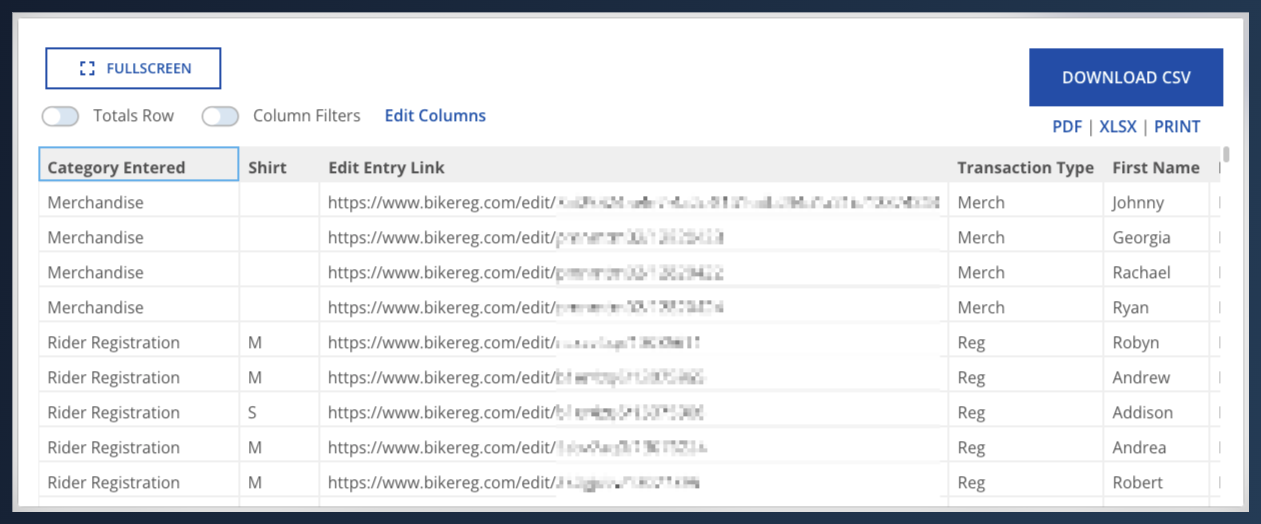
Events that allow participants to edit their own registration can download the individual unique edit links through the data download tool. If you’re using a separate email tool, upload that list and use the links as merge tags to send each participant directly to their own registration edit page.
Email Filters: Age and zip code targeting
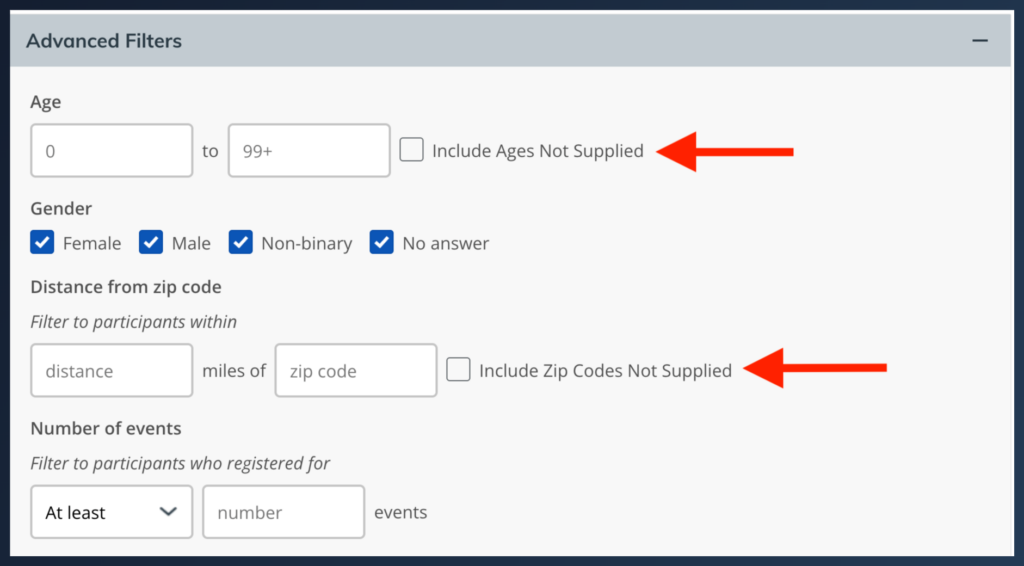
The email tool now includes additional age and ZIP Code filters. Toggle on the filters you want, and participants without that data on file will be excluded from the send automatically. A checkbox next to each filter keeps it straightforward.
These updates are now live on athleteReg. Log into your event director dashboard to explore what’s new.
New to athleteReg? Start your free account and see what’s possible for your next event.